Pull from file queue

The Pull from file queue receives a file URL (CSV, PDF, Excel) along with associated data. Use this to trigger flows to process a file via a URL that is sent to the flow. This step is currently offered to users on our Advanced Plan. Check out the Pricing Page for additional information.

Sending a file to your Parabola flow

The file queue processes files that are accessible via URL. To send a file to your Parabola flow, make an API call to the file queue endpoint. The Pull from file queue step, once added and enabled, will show a modal containing the endpoint details. For example:
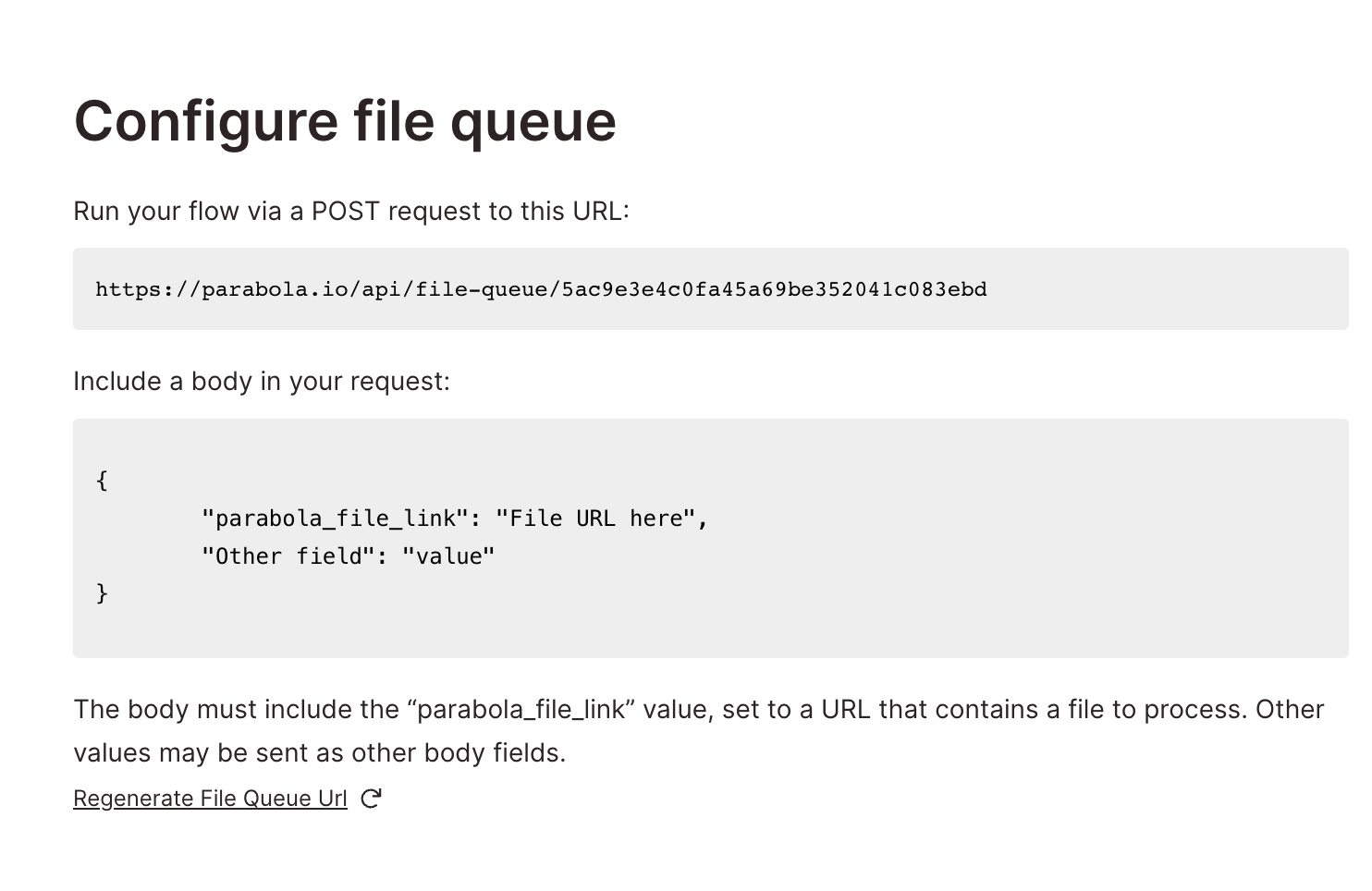
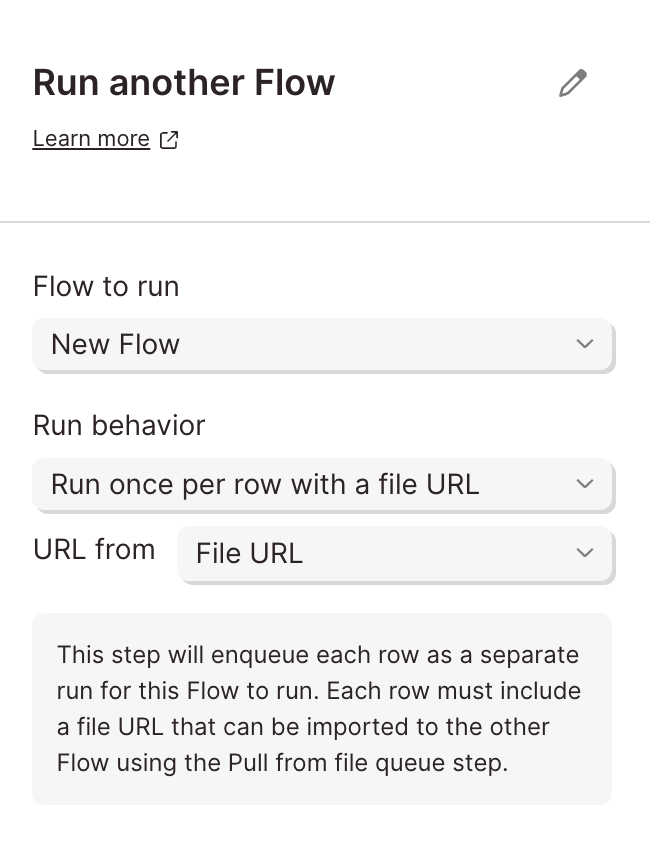
Any valid POST requests to that endpoint will trigger the flow to run, processing the file using the file parsing settings within the step. Additional requests will be queued up to run one after another. Alternatively, use the Run another Parabola flow step with the following configuration to trigger runs of another flow through the file queue: When a flow is triggered this way, all data from the sending flow is “splatted” onto each row fetched by the Pull from file queue step. This means every column from the originating flow’s data is appended to each row of the file being processed, giving you full context from the upstream flow alongside the file data.
Last modified on March 30, 2026